A $0 Visa provisioning service entry can be confusing when you remember no purchase. Start with the full bank record and any wallet or payment-service setup you recently completed. This guide shows a fictional entry, a simple setup timeline and the questions that help your issuer investigate.
What is Visa provisioning service?
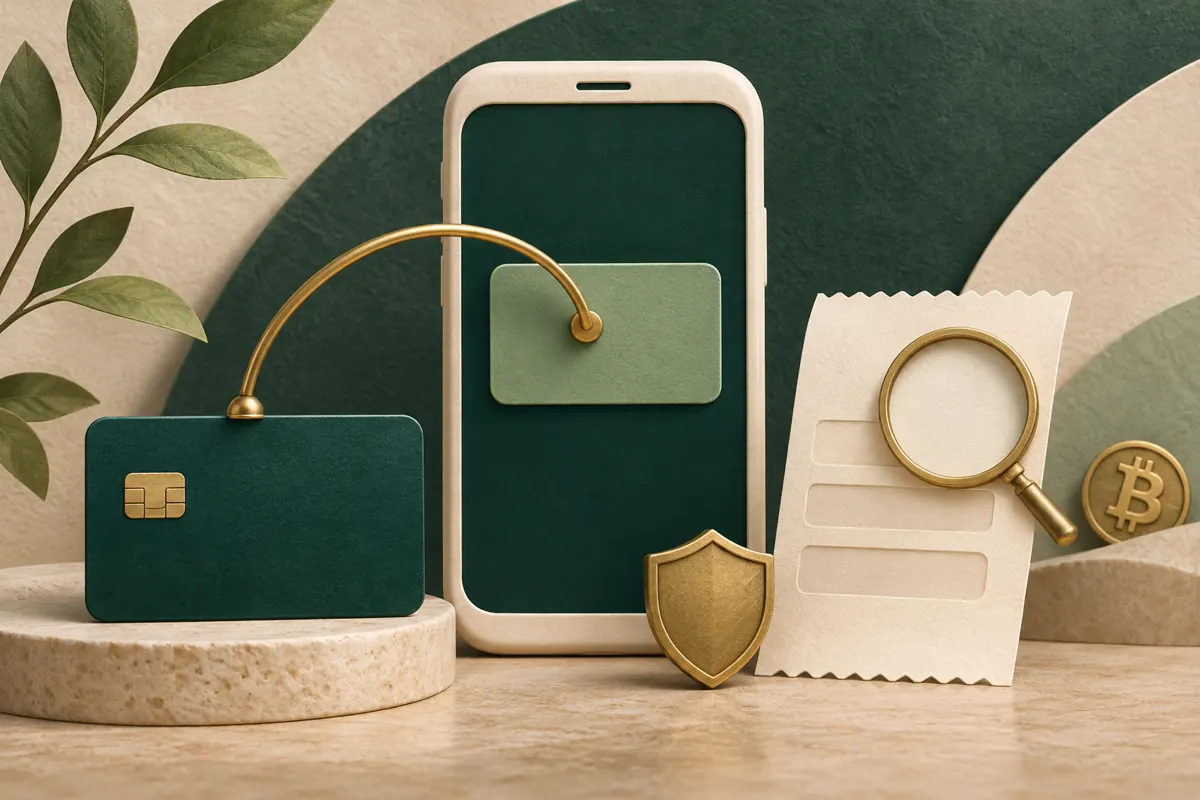
Visa provisioning service is associated with setting up a card for digital payments. Provisioning is the process of creating and supplying the digital payment credential used by a wallet or online payment service. A bank may display a verification entry during that setup.
Visa’s token-service explanation describes a network token as a substitute for the card’s account number, linked to an intended merchant or device. This lets a supported digital service use a payment credential without storing the original card number in the same way.
For a concrete example of the bank label, P&N Bank in Australia documents a $0 Visa Provisioning Service hold when verifying a card for Click to Pay. It says funds remain in the account for that check. Your issuer can identify which request produced your own entry.
If you were making a purchase, use the POS debit guide to read the purchase record and the statement-descriptor guide to match its billing name with a receipt. A provisioning entry calls for a check of the card setup activity first.
Read a fictional $0 bank entry
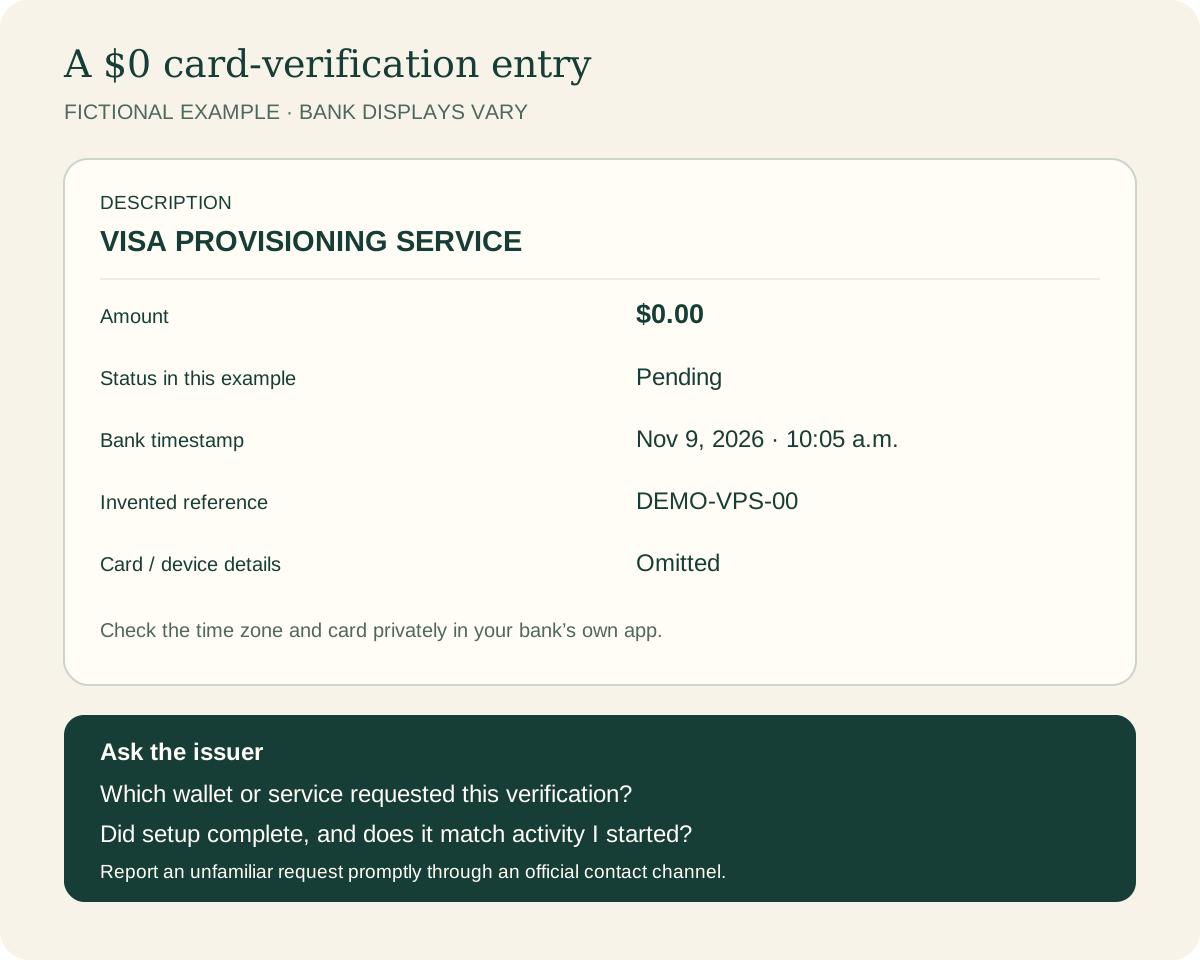
The illustration above shows an invented bank record. The labels, timestamp and reference are teaching examples; card and device details are omitted. Real banking apps arrange these fields differently.
Scroll across the table to see all columns.
| Field | Example | What to check |
|---|---|---|
| Description | VISA PROVISIONING SERVICE | Ask which wallet or digital service requested verification. |
| Amount | $0.00 | Read the amount and currency in the expanded record. |
| Status | Pending | Ask whether the verification request completed, failed or remains open. |
| Time | November 9, 2026 · 10:05 a.m. | Compare the bank’s time zone with the setup activity you remember. |
| Reference | DEMO-VPS-00 | This is invented. Keep your real bank reference privately for follow-up. |
| Card details | Omitted | Privately confirm which of your cards the record concerns. |
A familiar time and a $0 amount are useful starting points. Ask the issuer to confirm the wallet or service behind the request before treating an unexplained entry as expected activity.
A two-minute wallet setup example
Imagine you start adding your own card to a digital wallet at 10:03 a.m. on November 9. You complete verification inside the wallet and your bank app. At 10:05, a $0 verification entry appears. Later, your issuer confirms that the request belongs to that enrollment. These times and the issuer conversation are fictional.
Stripe’s token-provisioning guide explains that setup can begin when a card is added to a wallet or saved with a business. Depending on the flow, the issuer may request an additional verification step. Follow the instructions inside the trusted setup flow you started.
Scroll across the table to see all columns.
| Time | What you do or see | Useful record |
|---|---|---|
| 10:03 a.m. | Start adding your card to a wallet. | Wallet name and the time you began. |
| 10:04 a.m. | Complete the issuer’s requested verification. | Setup result in the wallet or bank app. |
| 10:05 a.m. | $0 entry appears in bank activity. | Expanded description, status and bank reference. |
| After checking | Issuer confirms the entry matches that enrollment. | Confirmation and any follow-up date the issuer gives you. |
If the wallet still says setup failed, check its card status and the issuer’s instructions before starting another attempt. Read a later purchase through its own receipt and bank entry. For an ordinary payment hold, the pending-transaction guide explains authorization and posting.
Recognized, unfamiliar or declined: choose your next step
You recognize the setup
Open the wallet or service you enrolled in and check whether the card was added successfully. Match the card and time privately. If anything is unclear, ask the issuer to identify the request. Keep the setup result so you can distinguish this verification from a later purchase.
You never started a setup
Contact your card issuer promptly through its official app or the number on your card. Ask it to identify the service and whether someone requested a digital credential for your card. Ask which card or wallet credentials need to be secured and whether any unfamiliar payments have followed. Follow the issuer’s instructions and keep the case reference.
The entry says declined
If you initiated the enrollment, check whether the wallet reports that the card was added. Ask the issuer why the verification failed and what step is needed for this card and wallet. If the request is unfamiliar, report that instead of attempting to complete it.
The CFPB advises reporting suspected unauthorized card activity immediately, including suspicious small transactions. For an unexpected request, contact the issuer as soon as you notice it. Save its instructions and your reporting date.
What if there is an amount, a repeat entry or a pending label?
Scroll across the table to see all columns.
| What you see | Question for the issuer | What to keep |
|---|---|---|
| $0 and expected setup | Does this entry match the wallet or service I just enrolled in? | Setup time, card involved and bank reference. |
| $0 and unfamiliar activity | Who requested verification, and what needs to be secured? | Entry details and your report date. |
| An amount above $0 | What is this amount for, and is it a verification authorization, a purchase or a fee? | Exact amount, currency, status and any matching receipt. |
| Repeated entries | Do these belong to repeated setup attempts or different requests? | Time and reference for each entry. |
| Pending beyond the stated window | What is the current status and expected next update? | The issuer’s original estimate and case reference. |
For a nonzero amount you cannot explain, ask the issuer to identify it. If you suspect unauthorized activity, report it promptly. Use the actual entry details rather than assuming every amount carrying this description is a routine setup check.
How long does a Visa provisioning entry stay on the account?
Ask your issuer for the display or release timeline for that specific record. P&N Bank gives three to seven days for its $0 Click to Pay check in Australia. That estimate belongs to that bank’s documented check; your own issuer can explain its timeline and how it displays completed verification.
For a recognized setup, note the issuer’s expected update date and follow up if the record remains unexplained after that date. For unfamiliar activity, contact the issuer immediately rather than waiting for the entry to disappear.
A checklist you can use now
1. Open the full record
Read the amount, currency, timestamp, description and status. Privately confirm the card involved. Keep a screenshot in a secure place if the bank permits it.
2. Check your own setup activity
Did you add a card to a wallet, enroll in Click to Pay or save a payment method? Write down the service and approximate time. Check whether that service says setup completed.
3. Ask the issuer to identify anything unclear
Use a trusted contact channel. Ask which service requested verification and whether the request matches your activity. For an unfamiliar request, ask how to secure the affected card and any digital credentials.
4. Keep verification private
Complete verification only inside the trusted flow you started. Keep passwords and one-time codes private from callers or unexpected messages. Use the issuer’s own app or official contact details to investigate a request.
5. Record the outcome
Keep the case reference, date reported, explanation and next update date. Review subsequent card activity for unfamiliar purchases and report concerns promptly.
What to say to your bank
Use this as a starting message in your issuer’s secure support channel. Fill in the transaction details there and keep sensitive card information out of public posts.
“I see VISA PROVISIONING SERVICE in my card activity at [time and date], for [amount and currency], with status [status]. I [did / did not] start a card setup around that time. Please identify the requesting wallet or service, confirm the result of the request and tell me whether I need to secure any card or digital credentials. Please give me a case reference and any follow-up date.”
If the question concerns a separate purchase, include its receipt or order reference through the appropriate secure channel. The bank can investigate card activity; the purchase provider can explain the order status.
Common questions
Why do I see Visa provisioning service without buying anything?
Card setup can include verification before a purchase. P&N Bank documents a $0 example for Click to Pay. Check whether you recently enrolled or saved a card, then ask your issuer to identify the request if it remains unclear.
Does a declined entry mean my purchase failed?
Check the wallet setup result and the purchase provider’s order status separately. Ask the issuer what was declined in this record. Before trying another payment, find out whether the provider already has an order or authorization for the first attempt.
Should I cancel my card?
For unfamiliar activity, contact the issuer promptly and follow its instructions for securing the card and any associated digital credentials. Ask it to confirm which protections or replacements are needed and what happens to existing wallet access.
Will this turn into a charge?
Ask the issuer what the specific record represents. P&N Bank describes its $0 Click to Pay entry as a verification check with no funds taken. For a purchase or an amount above zero, obtain an explanation tied to the actual bank record and receipt.
Checking a card-funded Bitcoin purchase
For a Bitcoin purchase, keep the actual purchase provider’s receipt and order reference. Match any payment amount to that receipt, and use the wallet’s transaction record to check delivery. Our debit-card Bitcoin guide explains the purchase steps and the questions to ask before paying.
Fiat2Bitcoin purchases remain unavailable while provider integration and launch checks are completed. Planned card buys use provider-hosted Paybis or Transak checkout; Fiat2Bitcoin receives neither purchase funds nor crypto. The card-setup example here is fictional.
Sources & further reading
General payment information and purchase-specific details serve different purposes. Review the current offer and terms before proceeding.
- Visa — Network tokens and digital payment credentials
- P&N Bank, Australia — $0 Click to Pay verification entry
- Stripe — Token provisioning and card setup
- CFPB — Reporting suspicious card activity promptly
Original Fiat2Bitcoin guide. Examples are illustrative; they are not live quotes or customer transactions. How we prepare our guides.