For the underlying payment method, start with the debit-card Bitcoin guide or credit-card Bitcoin guide. This article explains third-party checkout options. It does not add Google Pay to Fiat2Bitcoin's available services or promise it will appear in a future offer.
When can you use Google Pay to buy Bitcoin?
The purchase provider must offer Google Pay in the actual checkout available to you. Having a card saved in Google Wallet does not make every website accept it, and being able to tap that card in a store does not establish eligibility for an online Bitcoin order.
Changelly's Google Pay buying page tells users to select their residence and payment currency, then choose Google Pay if it is available. This is a provider example, not a guarantee of availability through Fiat2Bitcoin or for every bank and location.
Confirm the exact provider, your eligibility and the selected card before authorizing anything. Do not change your residence, use someone else's card or look for a different checkout to get around a restriction.
Google Wallet's card guidance distinguishes online card readiness from tap-to-pay setup. If a card works in one setting but not another, ask the issuer and provider about the actual transaction you are trying to make.
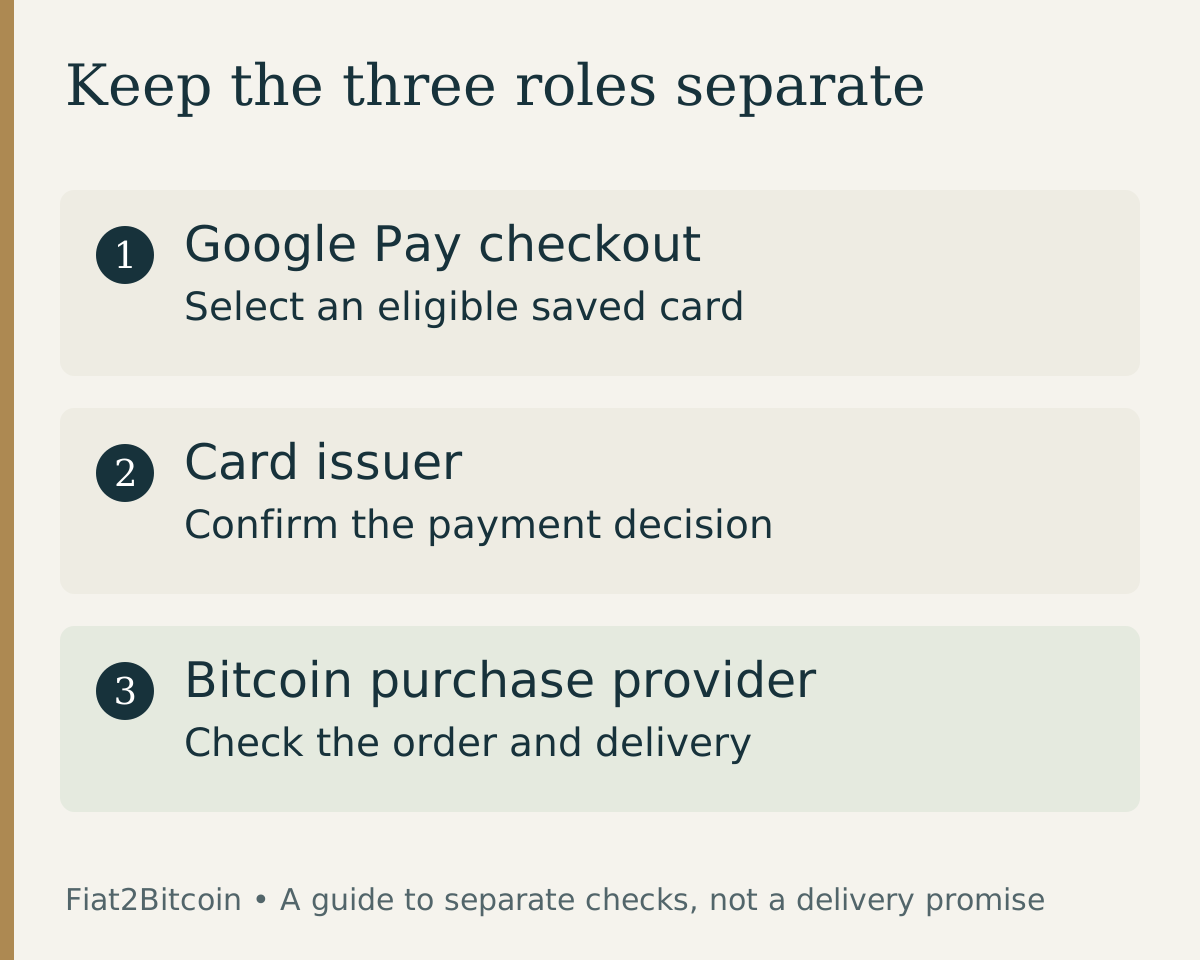
Google Pay, the card issuer and the Bitcoin provider have different roles
Scroll across the table to see all columns.
| Party | Role | Question to ask |
|---|---|---|
| Google Pay / Google Wallet | Presents an eligible saved payment method at a supported checkout | Which saved card did I select? |
| Card issuer | Handles the card account and payment decision | Was this card payment approved, pending or declined? |
| Bitcoin purchase provider | Handles the order, its checks, quote and fulfillment | What is the order status and what remains before delivery? |
| Receiving wallet service or device | Provides the Bitcoin receiving details | Does this destination support the exact asset and network? |
Google's online-payment help says Google does not hold or process the funds in this checkout flow; the transaction is between the merchant and the financial institution behind the payment method. Google also directs order questions to the merchant.
Google Wallet's payment-card feature and a Bitcoin receiving wallet serve different purposes. Selecting a card is not the same as supplying a destination for BTC. Check the full receiving details in the purchase flow; our asset and wallet compatibility guide explains why a familiar Bitcoin label alone is insufficient.
Does Google Pay make a Bitcoin purchase cheaper?
The button alone does not tell you the total cost. Compare the provider's full dollar charge, the Bitcoin quoted for delivery, any separate charges and the quote's expiry. Use the Bitcoin purchase-fee guide to compare offers without counting a fee twice.
Check which underlying card you selected. A debit card uses bank funds under the issuer's conditions; a credit card can add borrowing costs. Ask the issuer whether cryptocurrency purchases receive cash-advance treatment, and review the credit-card cash-advance explanation. Do not assume digital-wallet checkout removes those terms.
For example, suppose two hypothetical offers both charge $300, but quote different BTC amounts after disclosed provider costs. Compare the quoted delivery, then add any issuer charge that is not already included. A Google Pay logo does not make the less favorable quote better.
Treat quoted numbers as offers with conditions, not a permanent fee schedule. Fiat2Bitcoin's wire fee rates do not apply to these third-party card offers.
A checklist before confirming the purchase
- Verify the provider's site and confirm Google Pay is offered for your true location and order.
- Check the selected card, including whether it is debit or credit and whether its issuer permits the purchase.
- Review the exact dollar charge, quoted Bitcoin, separate fees and quote expiry.
- Complete the provider's required verification through its legitimate process.
- Check the full Bitcoin receiving address and supported network.
- Retain the provider order reference and card-payment record, then check delivery separately.
A cardholder authentication step is not a promise of order approval. If a separate challenge fails, the 3D Secure troubleshooting guide explains what to clarify. If checkout asks for a postal code, use the billing ZIP-code guide to identify the card record it refers to.
No general minimum amount removes the need to follow the provider's current checks. Avoid treating an advertisement about speed or verification as the terms of your particular order.
What if Google Pay completes but Bitcoin has not arrived?
Open the original provider order and inspect its status. Check the bank or card record as well. A completed checkout interaction, an authorized card payment and Bitcoin delivery are separate events.
Ask the provider what happened to the order and what evidence confirms delivery. Ask the issuer about the card entry if it is unclear. Google's payment help notes that its transaction view may not include every detail, so keep the provider confirmation and bank record together.
Do not repeat the purchase while the first outcome is unresolved. The pending-payment guide helps identify which stage needs attention. If the provider says Bitcoin was sent, verify the supplied transaction and destination details rather than treating a payment notification as proof of receipt.
If Google Pay is not available for a proposed order, compare eligible methods through the purchase-method guide. Resolve any existing attempt first; changing the checkout method creates no exception to the provider's eligibility rules.
Sources & further reading
General payment information and purchase-specific details serve different purposes. Review the current offer and terms before proceeding.
- Google Pay: Online checkout and transaction responsibilities
- Google Wallet: Card eligibility for online and contactless payments
- Changelly: Google Pay offers where available
Original Fiat2Bitcoin guide. Examples are illustrative; they are not live quotes or customer transactions. How we prepare our guides.