
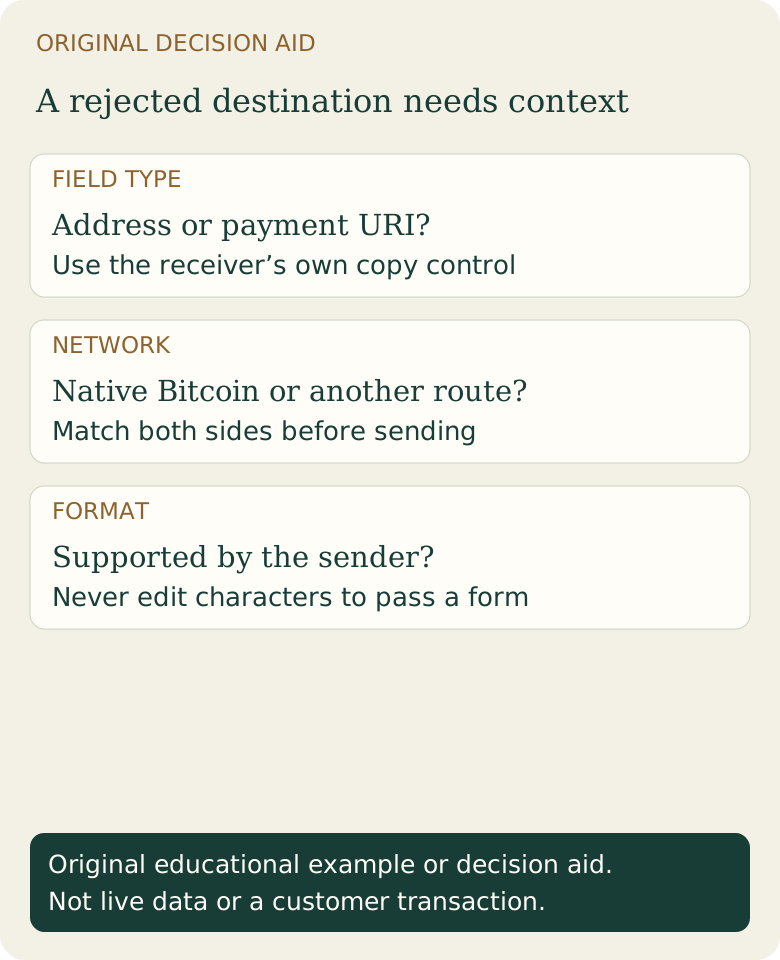
What should you do first?
Stop the attempt before submitting another payment. Open the receiving wallet yourself and select its Bitcoin receive screen. Compare the asset and network with the sender’s supported withdrawal or delivery options. A copied value can be genuine and still belong to a route the sender does not support.
If checkout has already created an order, keep that order reference. Correcting a field is different from placing a second paid order. For a provider purchase, the selected provider handles acceptance and delivery; Fiat2Bitcoin cannot repair a destination by changing its characters.
Match the error to a safer next check
Scroll across the table to see all columns.
| What you see | What it means | Next check |
|---|---|---|
| Address includes bitcoin: and ?amount= | You may have copied a payment URI into an address-only field | Use the receiver’s address-only copy control; check any requested amount separately |
| An address starts with 0x | It is not a native Bitcoin mainnet address | Read the receiver’s exact asset/network instructions; do not choose a different network merely to pass validation |
| A bc1 address is rejected | Format support, network or transcription may differ | Check the sender’s documented support and contact its official support if necessary |
| A fresh address differs from a saved one | Many wallets rotate receiving addresses | Verify it in the intended wallet; see the address-change guide |
Does legacy versus SegWit explain the problem?
Native Bitcoin mainnet addresses commonly begin with 1, 3, bc1q or bc1p. Those forms have different technical meanings and compatibility requirements. A short prefix does not validate the entire address or identify who controls it. An unsupported address type can be rejected even when it was copied correctly.
Ask the receiving wallet which supported account/address type fits the sending service. Generating a receiving address in another account is a wallet action; replacing a prefix or using an online “address converter” is not a safe way to accomplish it. The Taproot versus native SegWit guide explains the distinction.
Example: a valid payment request in the wrong field
Fictional record: a recipient provides bitcoin:<ADDRESS>?amount=0.00050000. The placeholder is deliberately not a usable address. The sending form asks for “Bitcoin address,” not a payment request. Even if the receiver’s real address is valid, the extra URI text can cause a rejection.
The next step is to use the receiver’s own address-only control, then separately verify the amount and any fee deduction. Do not strip unfamiliar instructions from a merchant invoice and assume the purchase will be credited. Ask the recipient which route and payment amount satisfy that invoice.
What if you already sent something?
A rejected field alone does not prove funds moved. Look for the actual order, withdrawal reference and transaction ID. If there is a native Bitcoin transaction, verify the receiving output and network using the transaction-ID checklist. If the transfer used another network, its status belongs to that network.
Keep support requests limited to relevant public transaction information and the order reference through official channels. Do not send recovery words, private keys, backup files or a fee to someone who claims they can “validate” the address. Start with the wallet-compatibility guide before making a new purchase.
Sources & further reading
These sources explain the payment systems and rules discussed in this guide. For your purchase, check the provider’s current offer and terms.
- Trezor: Bitcoin account types
- Bitcoin developer guide: Transactions
- BIP 321: Current Bitcoin payment URI specification
Published by Fiat2Bitcoin. Worked examples use fictional figures and records; they are not current prices or customer transactions. How we prepare our guides.