What do you actually have?
An old hard drive may contain wallet data, blockchain data, an installer, a text note or unrelated files. Their roles differ. Stop using a failing drive and get qualified storage-recovery help before repeated writes. Do not upload a wallet file or recovery words to a website promising to check its value.
Scroll across the table to see all columns.
| Evidence found | What it may provide | What is still needed |
|---|---|---|
| Core wallet backup or wallet database | Wallet records; possibly spending keys | Compatible software, integrity and any required passphrase |
| Block files or chainstate | Blockchain data | The wallet’s spending authority is separate. |
| Address or transaction ID | A public history reference | Public history does not supply private keys. |
| Recovery words from another wallet | Potential backup for that wallet design | Identify its software, derivation and any passphrase first. |
Where might a Bitcoin Core wallet be on a Mac?
The version-pinned Core wallet guide documents wallet management and default locations. The normal macOS data directory is ~/Library/Application Support/Bitcoin; a custom data directory or wallet directory changes where files are stored. In Finder, Go to Folder can open a path you already know. Do not assume every file named wallet.dat belongs to the same format or version.
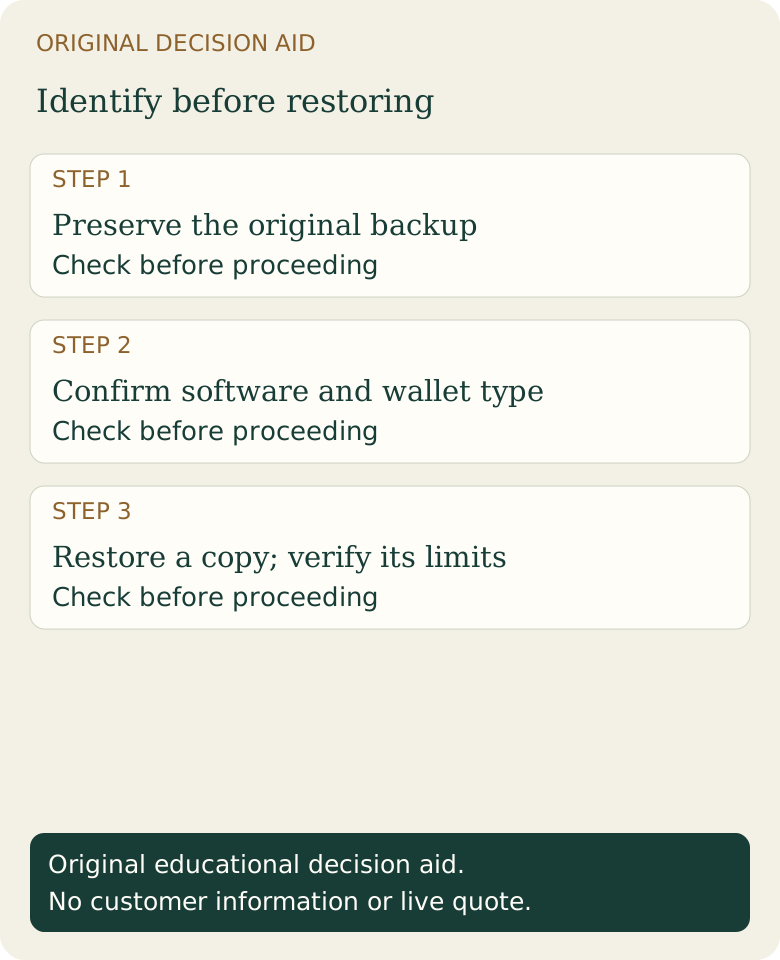
Work from a verified copy and retain an untouched original. Record the original directory structure, Core version if known and whether the wallet was encrypted. Current descriptor wallets and historical legacy backups can require different handling. A new installation with an empty wallet does not prove the old funds are gone.
What our offline restore test actually proved
On November 17, 2026, we ran Bitcoin Core 32.1 on macOS arm64 in a fresh regtest data directory. Networking was disabled, peer connections were zero and the wallet had no funds. We created a fresh descriptor wallet, generated a receiving address, called backupwallet, unloaded it and restored the backup under a different wallet name using restorewallet.
The restored wallet recognized the original generated address as its own and its balance remained zero. The official macOS archive’s SHA-256 matched the manifest downloaded from bitcoincore.org over HTTPS. We did not perform independent PGP signature verification. The local test wallet and authentication cookie were removed after the daemon stopped.
This proves that particular fresh-wallet backup/restore path worked in our isolated test. It does not prove recovery of an encrypted, damaged or legacy wallet, recovery from a failed drive, Windows compatibility or a mainnet balance. No customer wallet, private key or real transaction was used.
A safe restore sequence to understand before acting
First preserve and identify the backup. Next read the documentation for the installed Core version and the wallet type. Use an isolated destination with adequate storage, avoiding any operation that overwrites the only original. Core’s backupwallet and restorewallet are wallet operations; copying an actively changing database manually can produce a different result.
After a supported restore, distinguish recognizing keys from discovering historical transactions. Scanning chain history, synchronization, pruning and unavailable old blocks can affect what the wallet displays. Do not use a zero balance on an unsynchronized or incompletely scanned wallet as the sole recovery verdict. Never run commands copied from a stranger against your only wallet file.
What if you forgot the passphrase?
A backup does not remove encryption. A public address, downloaded blockchain or support agent cannot replace a missing private key or required passphrase. Read the seed-phrase guide before assuming every wallet can be restored from the same kind of words.
Be suspicious of advance recovery fees and guarantees. Keep local recovery notes private; public extended keys and descriptors can expose transaction history even without enabling spending. Fiat2Bitcoin provides education and does not offer a wallet-recovery service.
Sources & further reading
These sources explain the payment systems and rules discussed in this guide. For your purchase, check the provider’s current offer and terms.
Published by Fiat2Bitcoin. Worked examples use fictional figures and records; they are not current prices or customer transactions. How we prepare our guides.